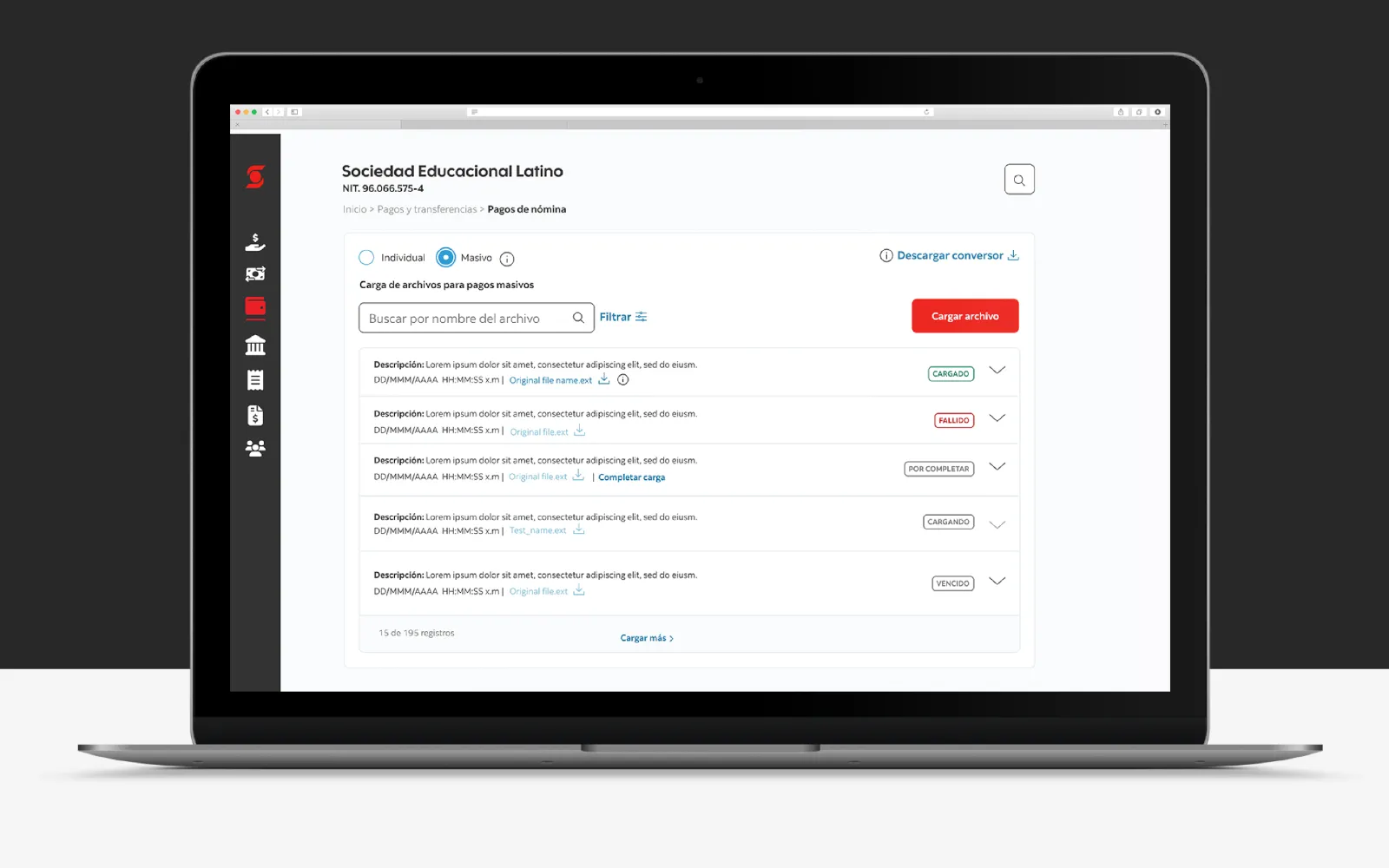
File Upload - High-Volume Payment Processing
Designed a secure, batch-based file upload experience that helps corporate banking users process large volumes of payments through a structured, scalable, and easy-to- review workflow.

CO · US
Project Context
File Upload is a core Scotia Connect module designed for corporate clients who need to process large payment files for payroll, supplier payments, and operational transfers. Instead of creating payments one by one, users can upload structured files, review batch status, resolve validation issues, authorize transactions, and access receipts and reports from a centralized workflow.
Design Focus
• Batch payment workflows
• File validation
• Status tracking
• Authorization and rejection flows
• Transaction review
• Receipts and reporting
• Cross-market consistency
Problem to solve
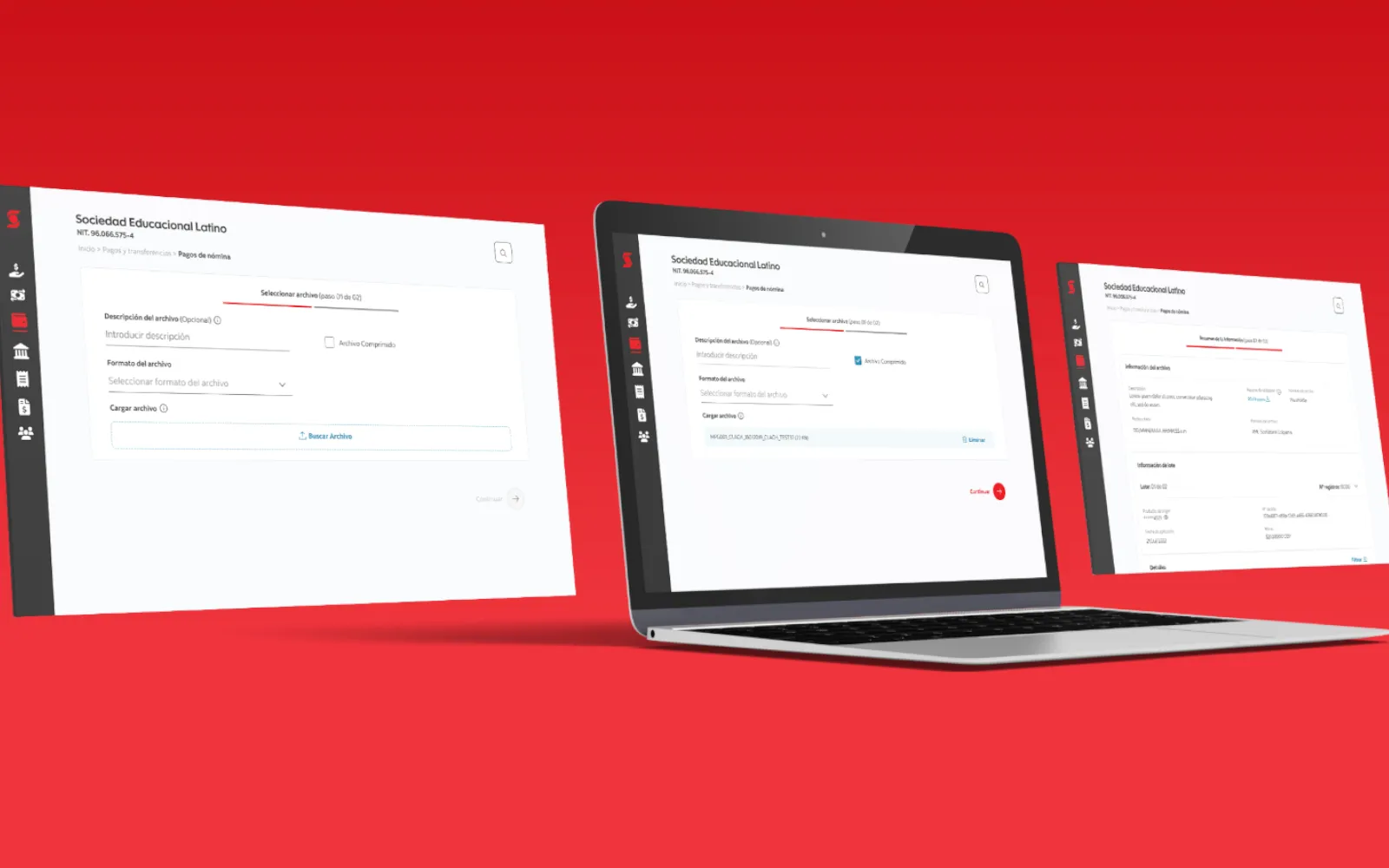
Corporate banking users needed a reliable way to process high-volume payment files without losing visibility or control. They had to upload large batches of payroll and supplier payments, review validation errors, track batch status, approve or reject transactions, and access receipts and reports from one centralized workflow.
The challenge was to support these complex payment operations while keeping
the experience consistent with Scotiabank’s global platform standards and flexible enough for different market requirements.
Design Contribution
I led the UX and UI design of the File Upload module with a pod of two designers and a Product Owner, translating complex payment-processing requirements into clear user flows, reusable interface patterns, functional prototypes, and implementation-ready documentation.
Design Challenge
The main challenge was balancing a consistent global experience with market-specific payment logic. The
interface needed to feel unified across regions while supporting different operational rules, validation states,
authorization paths, and transaction-level details.
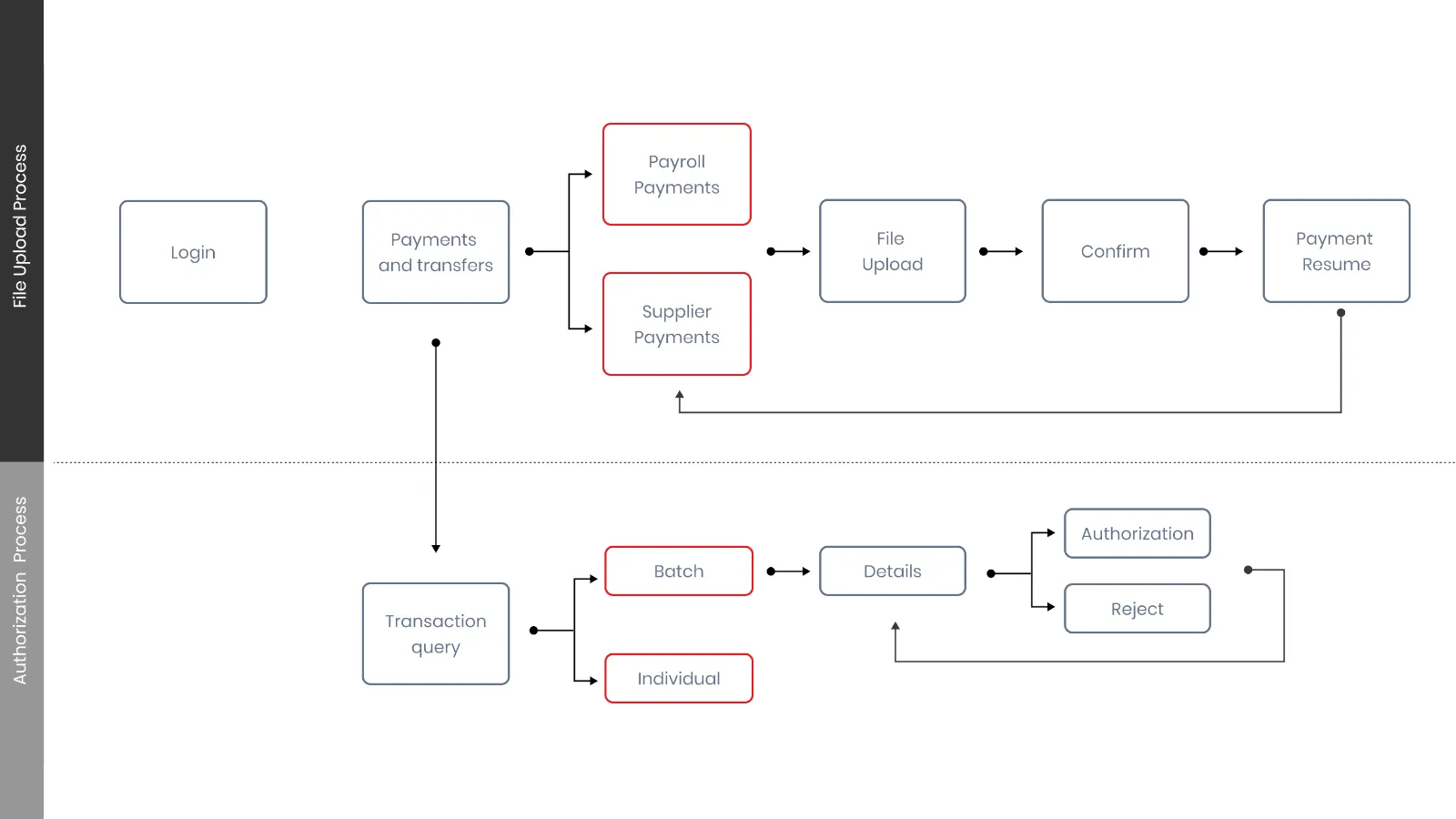
Core Flow
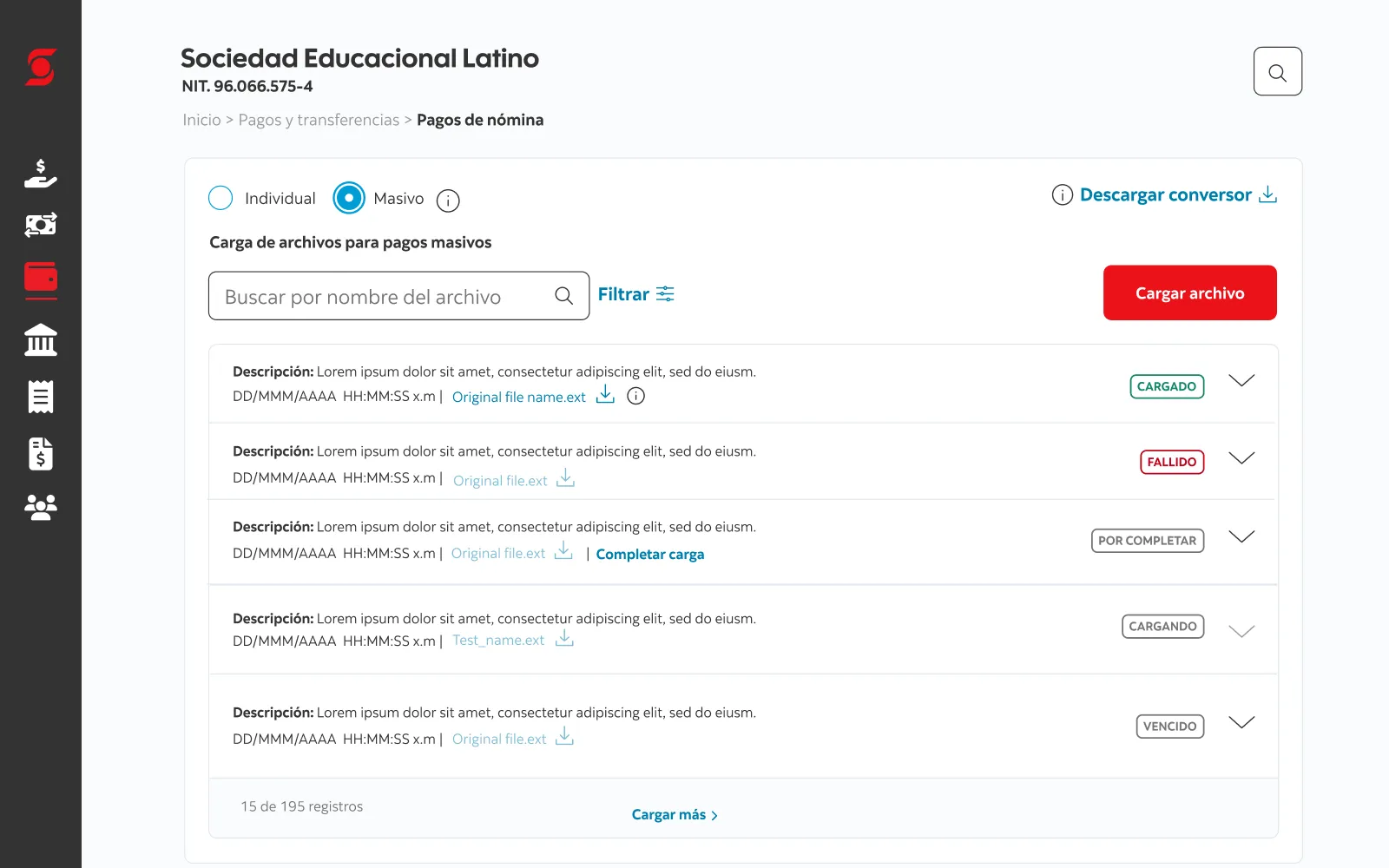
A high-level view of the File Upload workflow, from file upload and validation to authorization, receipts, and reporting.
Prototype
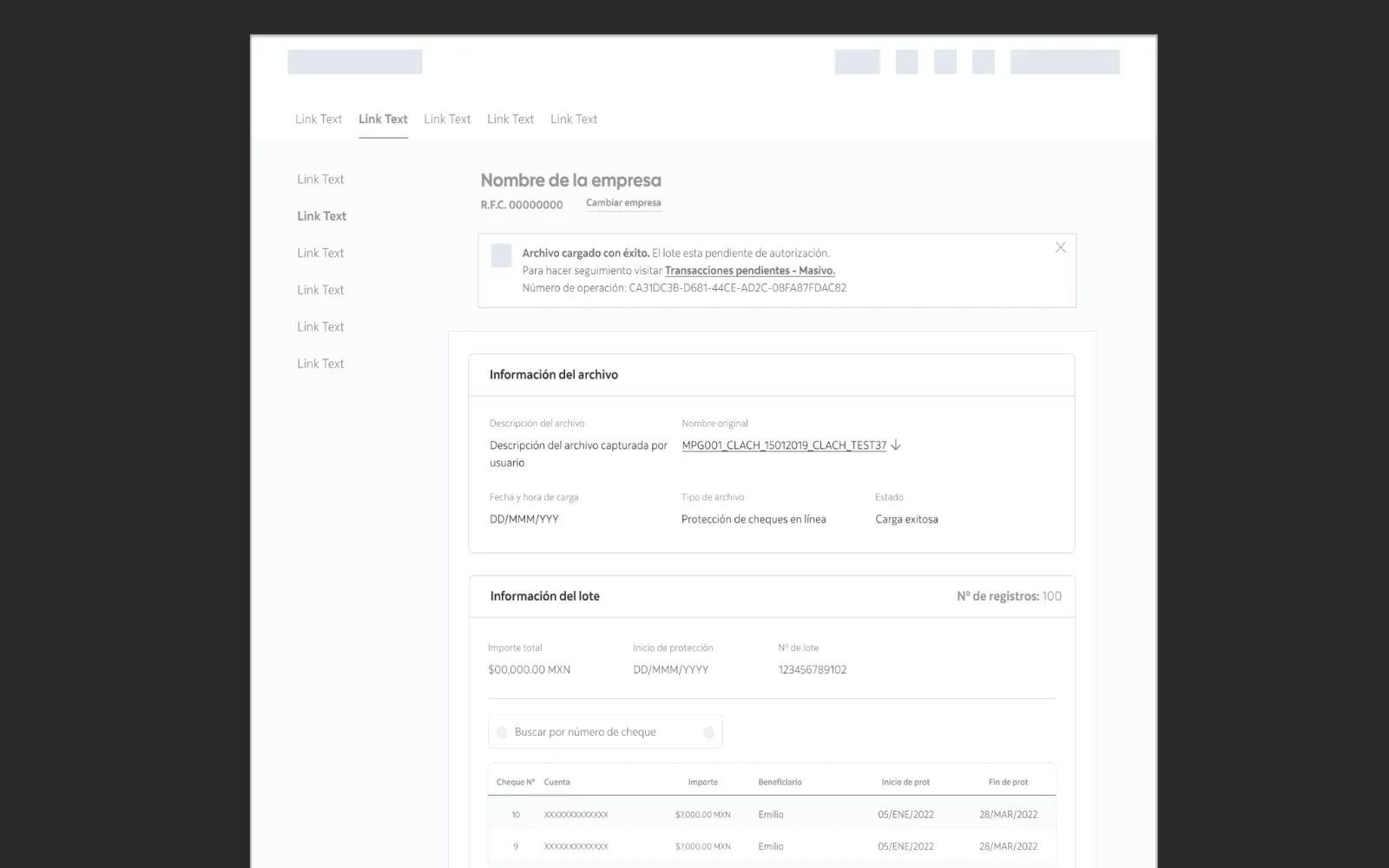
A functional prototype was created to document the end-to-end File Upload experience, support stakeholder
alignment, and guide implementation with development teams.
Key Product Decisions
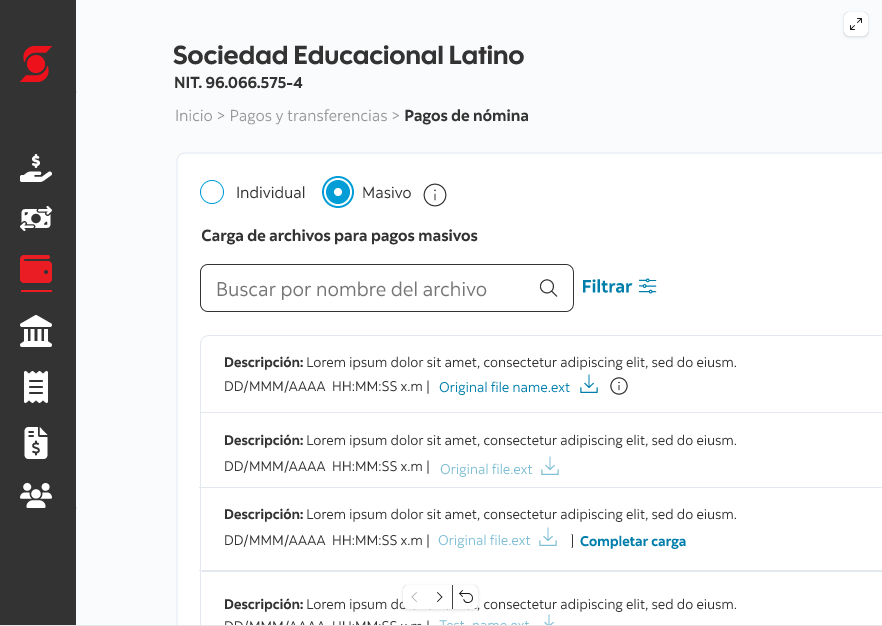
Structured Batch Review
Designed the flow around batches first, allowing users to understand the overall file status before drilling into
individual transactions.
Clear Validation Feedback
Created states and messaging patterns that helped users identify upload issues, review errors, and understand
what actions were required.
Reusable Platform Patterns
Aligned layouts, components, and navigation patterns with Scotia Connect standards to support consistency and
reduce development fragmentation.
Cross-Market Adaptability
Designed the experience to support regional requirements while maintaining a unified platform structure across
markets.
Outcome
The launch enabled more than $44B in cash-flow volume in its first month in Colombia and created a scalable foundation for high-volume payment operations across markets.